Build investigation profiles. Entirely offline. Entirely yours.
Tom's OSINT Workbench is a free OSINT tool for Windows — open source intelligence investigation software built for structured, offline case management. Track people, companies, domains, social profiles, emails, phones, addresses, usernames, and IP addresses as connected entities. Visualise the relationships. Snapshot and diff over time. Export clean HTML reports. No accounts, no cloud, no subscriptions.
What it does
This OSINT desktop app is built for analysts, journalists, security researchers, and anyone who needs investigation software that keeps data on their own machine — not a SaaS vendor's cloud.
Entity-centric case management
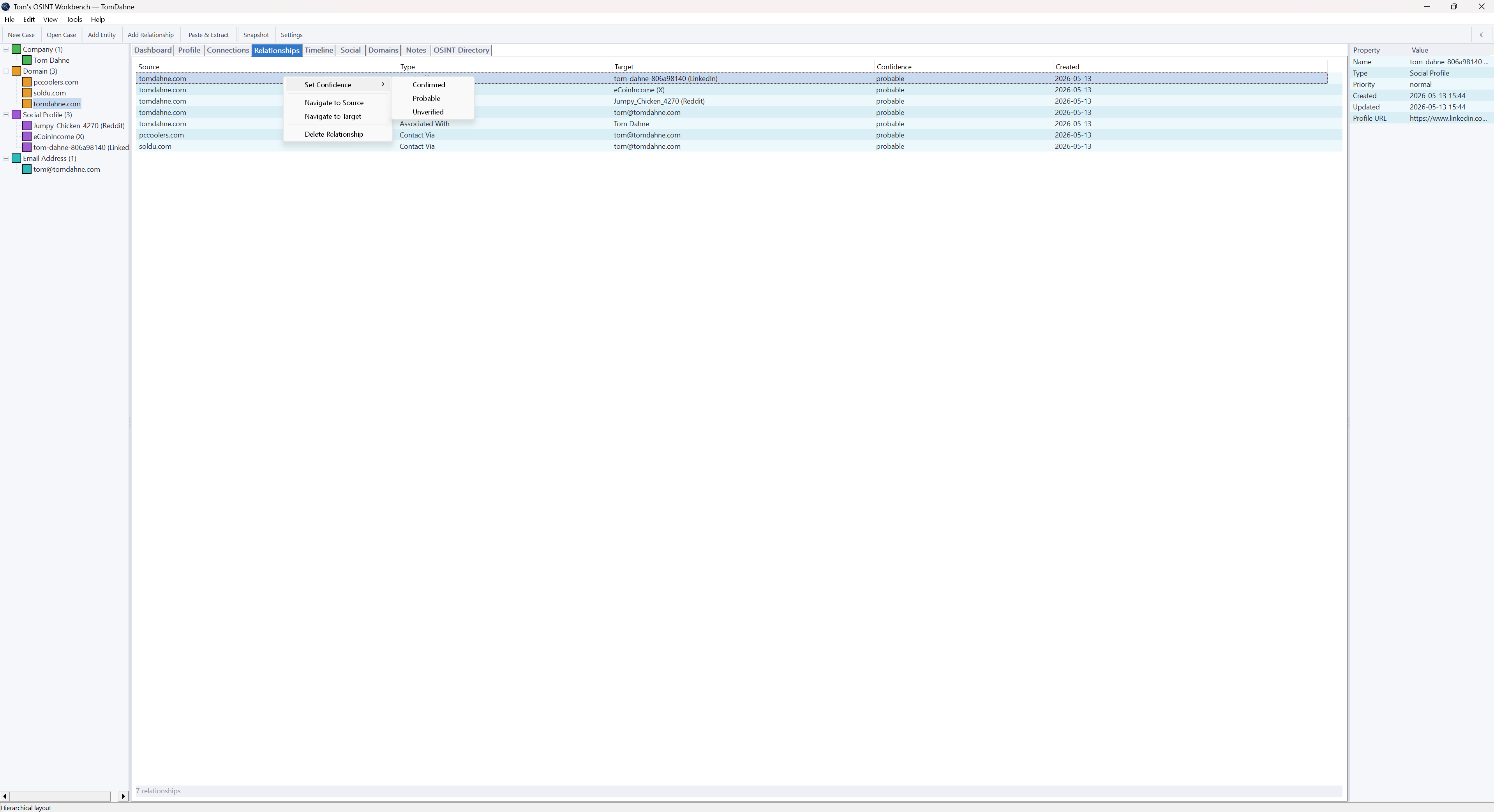
Track 9 entity types — people, companies, domains, social profiles, emails, phones, addresses, usernames, IPs — with typed relationships and three confidence levels (confirmed, probable, unverified).
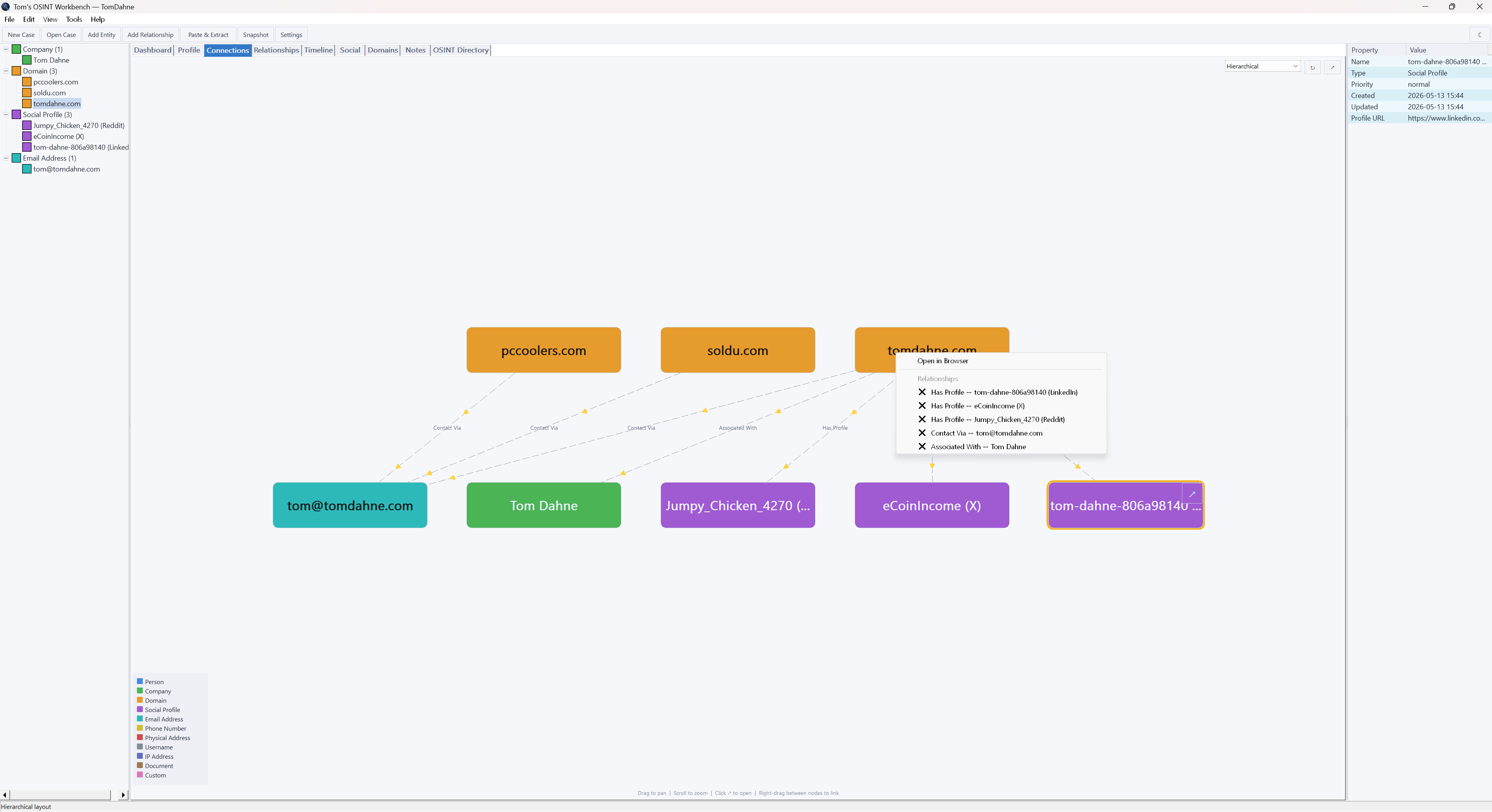
Visual link analysis
Force-directed or hierarchical graph layouts rendered with GDI+. Drag, zoom, pan, click to inspect. Nodes coloured by entity type. Edges styled by confidence. Pop out to a floating window for side-by-side intelligence analysis.
Paste & extract
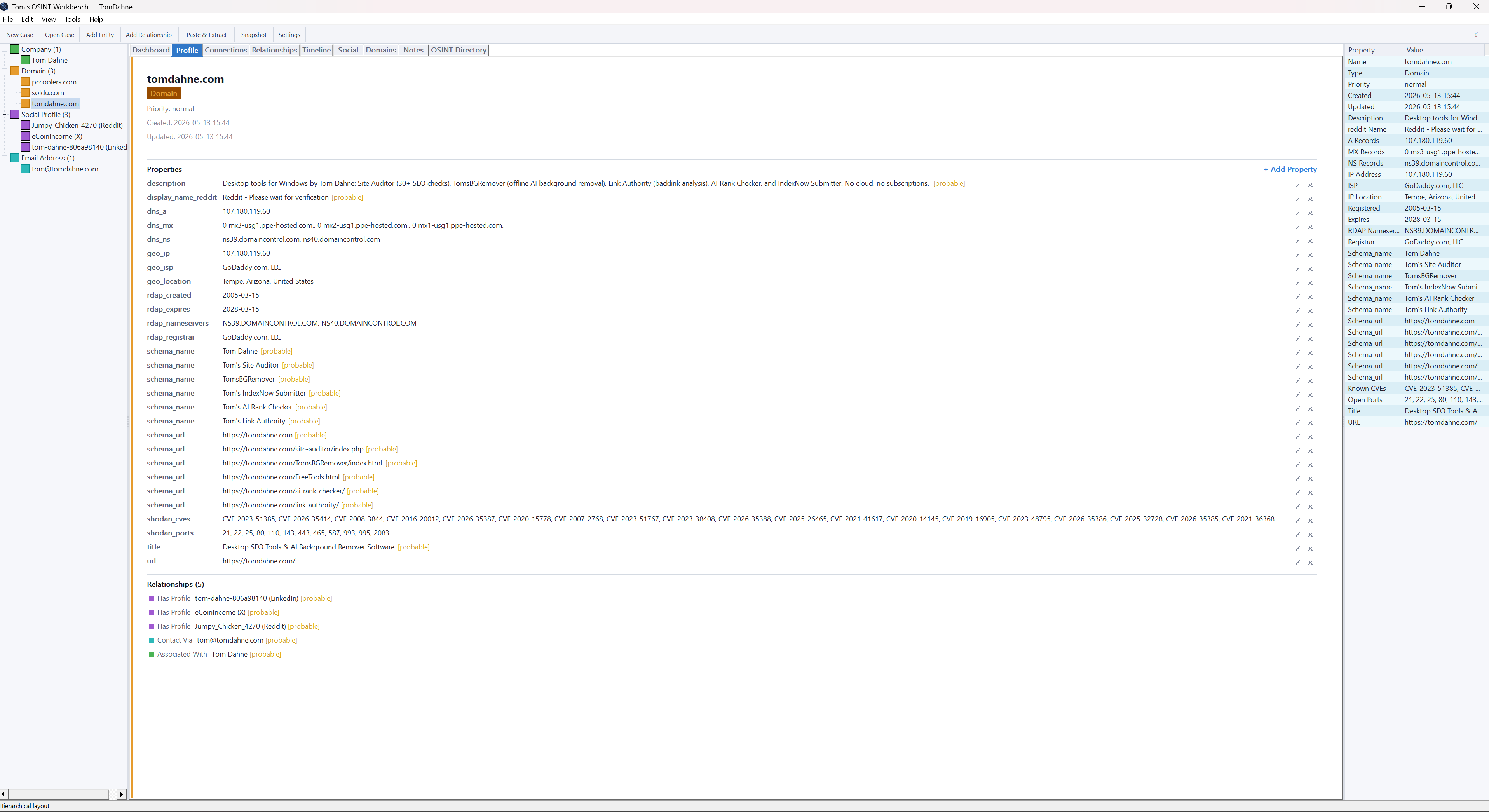
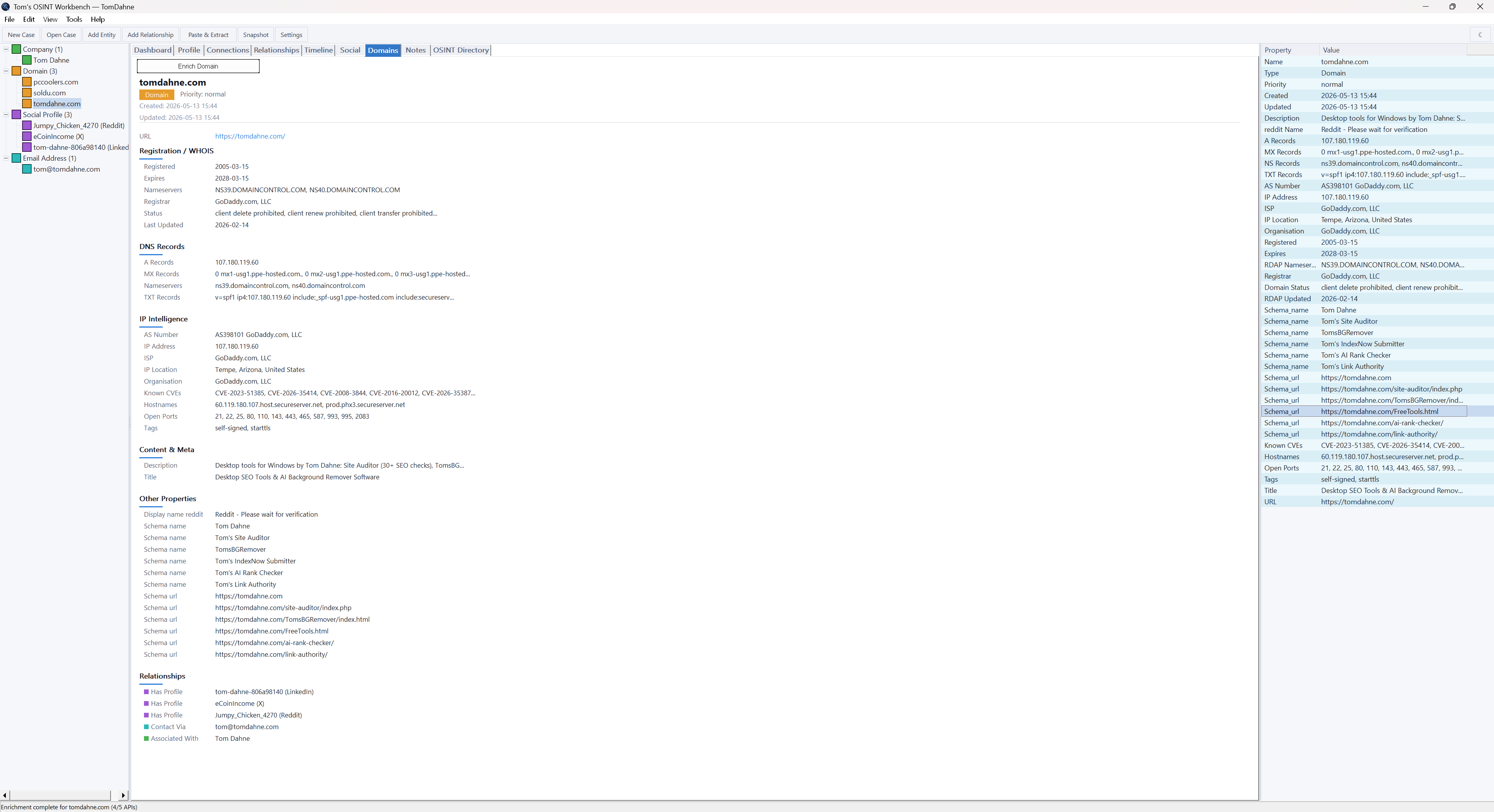
Drop a URL — or up to 10 — and the app pulls structured data. Domains return RDAP, DNS, IP geolocation, Shodan open ports, crt.sh subdomains, tech stack, and meta tags. Social URLs are recognised across X, LinkedIn, GitHub, Reddit, and more.
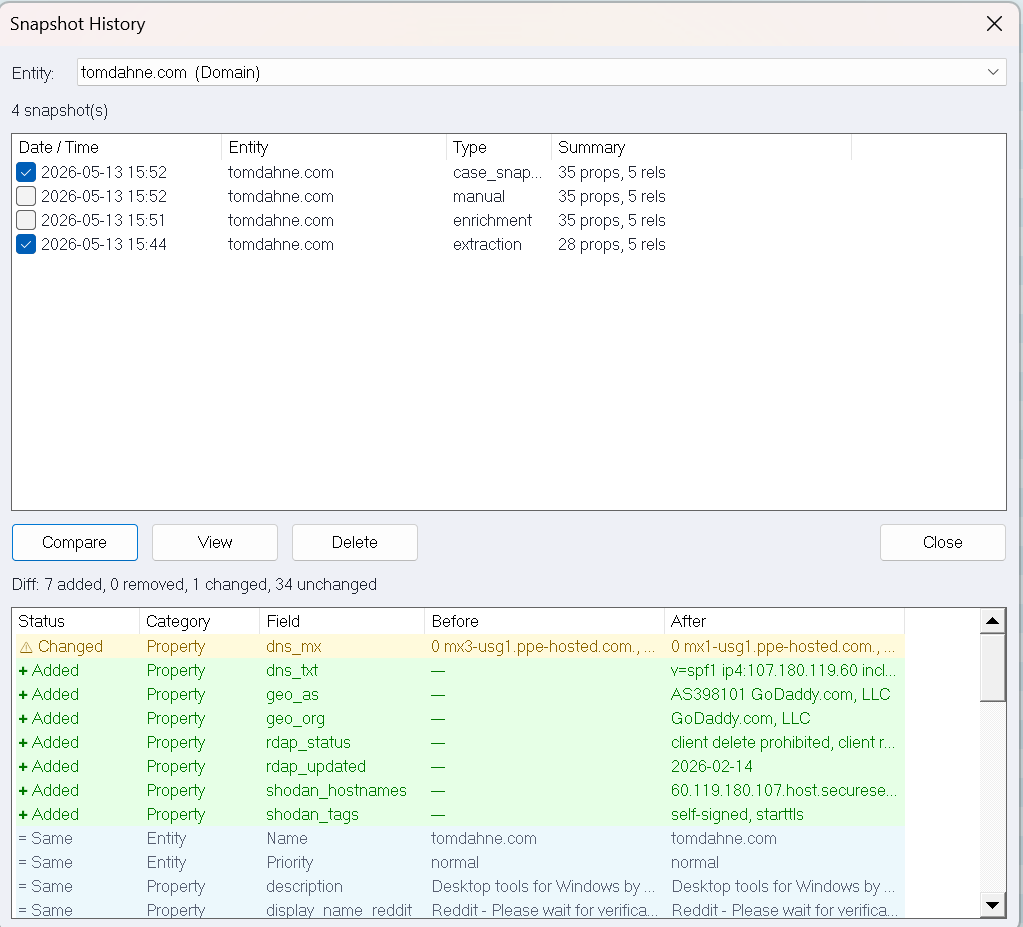
Snapshots & diffing
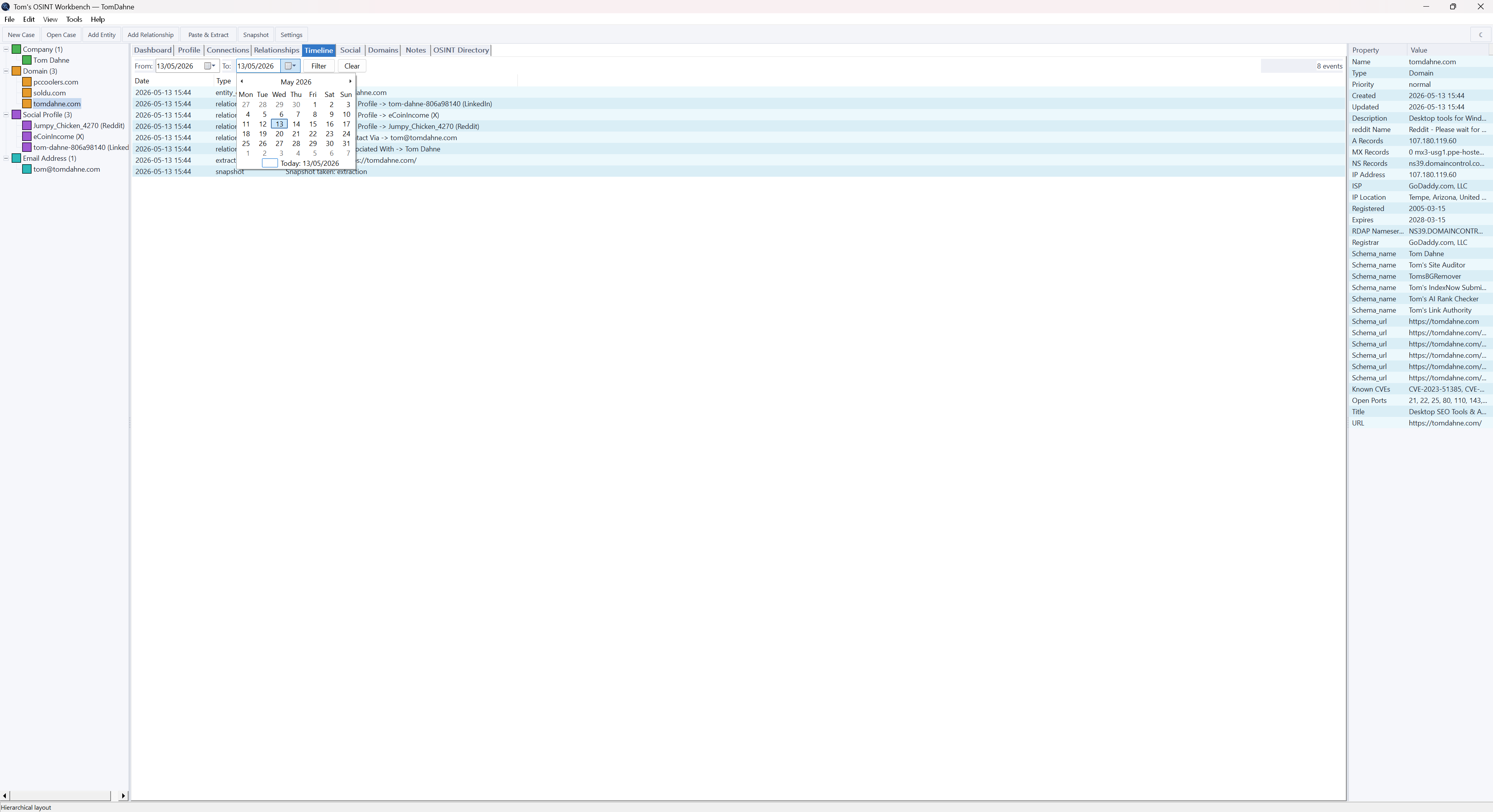
Take a point-in-time snapshot of any entity or the whole case. Compare any two snapshots to see additions, removals, and changes — colour-coded green, amber, and red.
Advanced search
Ctrl+F finds anything across entities, properties, notes, and relationships. Real-time filtering. Double-click any result to jump straight to the entity and the right tab.
Self-contained HTML reports
One click exports a complete case report — cover page, executive summary, key findings, embedded graph PNG, entity tables, domain cards, timeline, and an AI analysis prompt. Dark theme with print stylesheet. No CDN dependencies.
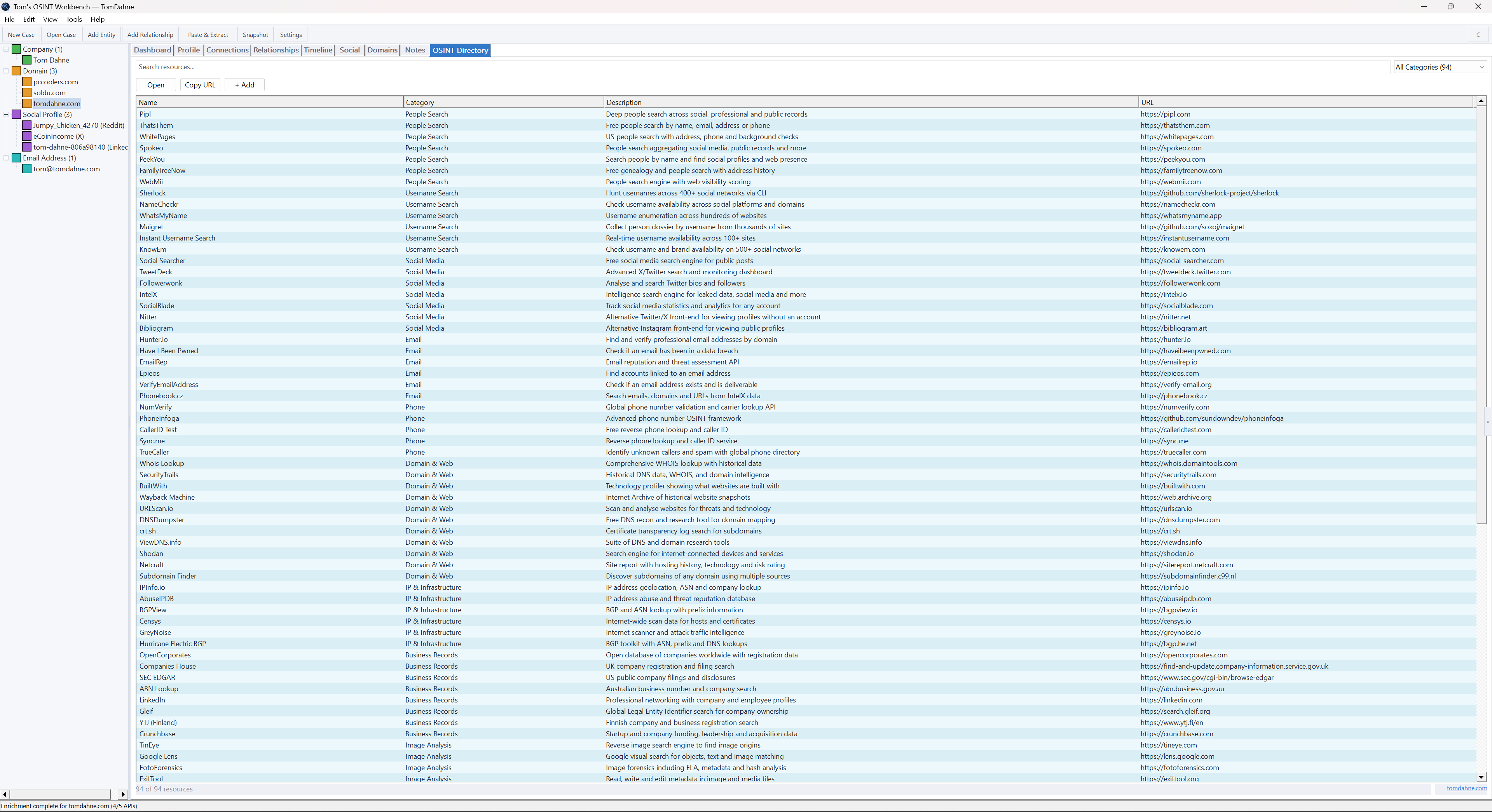
Built-in OSINT directory
94 curated investigation tools and websites across 16 categories. Searchable, sortable, user-expandable. Add your own resources without touching the data file.
Notes & evidence
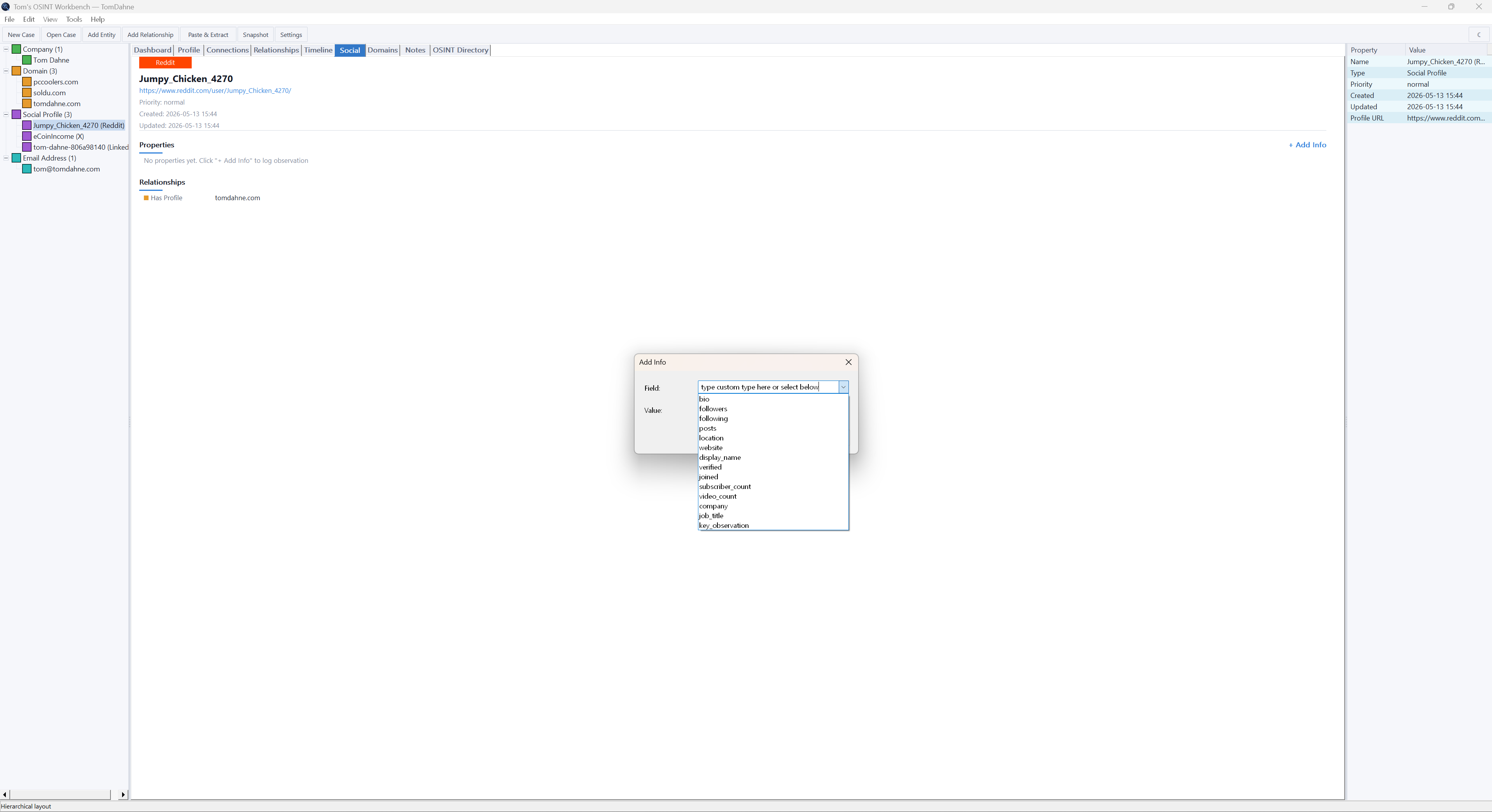
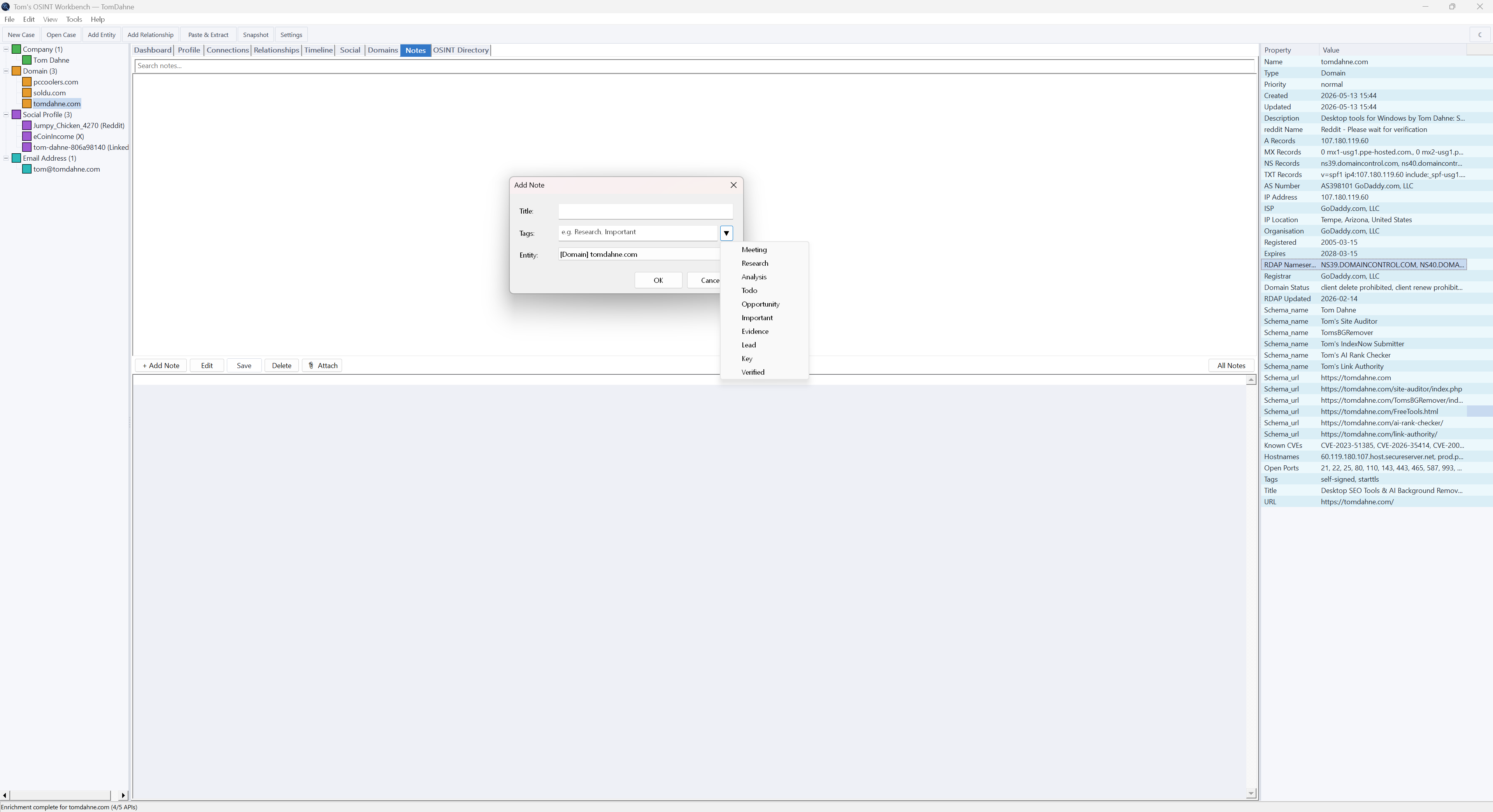
Write tagged notes, link them to entities, and attach files as evidence. Screenshots, documents, exports — anything. Searchable across the case.
Private by design
All case data lives in a portable SQLite file on your machine. No telemetry. No analytics. No accounts. The only network traffic is the public API calls you explicitly trigger.
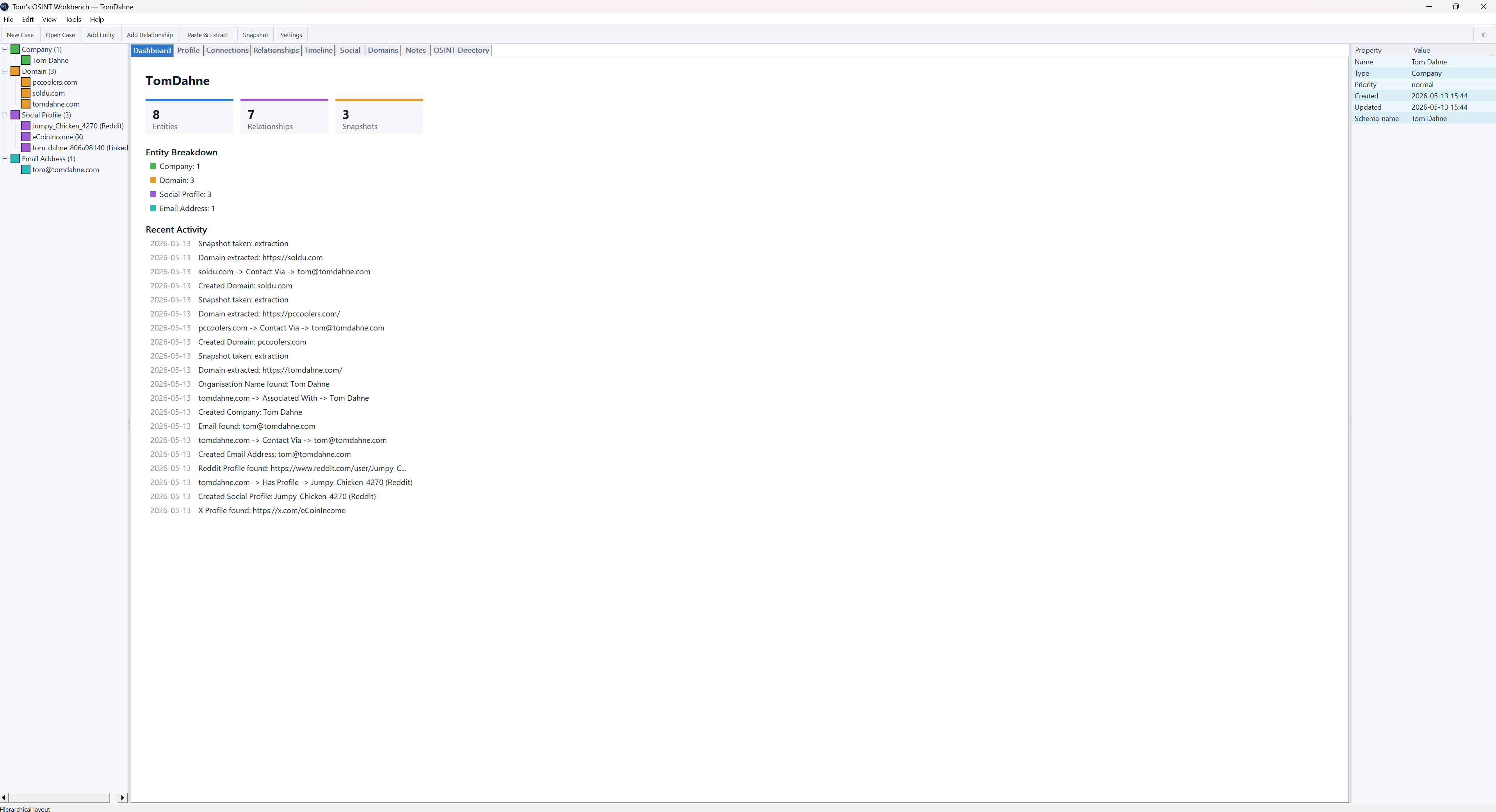
A tour through the workbench
Every tab, every feature — from case dashboard to snapshot diffing.
How a case comes together
A typical investigation moves through four loose stages. Skip any of them, repeat any of them.
Seed
Start a new case and add a primary target — a domain, a person, a company name. Add the first relationships from what you already know.
Collect
Paste URLs into the extract dialog and let the parsers do the typing. Enrich domains with RDAP, DNS, geolocation, Shodan, and crt.sh in one click.
Connect
Open the Connections tab and watch the graph form itself. Link entities with typed relationships and set confidence levels as you go.
Report
Take a snapshot, write up findings in the Notes tab, then export the whole case as a single self-contained HTML report ready to share.
Public APIs used
Seven free, public endpoints. No keys to manage. No paid tiers required. All calls are explicit — you decide when to make them.
| Service | Used for | Auth | Rate limit |
|---|---|---|---|
| RDAP | Domain registration data (modern WHOIS) | None | Unlimited |
| Google DNS | A, AAAA, MX, NS, TXT records | None | Unlimited |
| ip-api.com | IP geolocation (country, city, ASN, ISP) | None | 45 req/min |
| Shodan InternetDB | Open ports, CVEs, vulnerabilities by IP | None | Unlimited |
| crt.sh | Certificate transparency subdomain discovery | None | Unlimited (often slow) |
| GitHub | Profile, bio, location, top repositories | None | 60 req/hr |
| Profile, karma, account age, verification | None | Undocumented |
The technical bit
Built to the same rules as every other tool on this site: portable OSINT tool, offline-first, zero dependencies.
Platform
Windows 10 and 11, x64. Built with C++17 and the Win32 API. No MFC, no Qt, no frameworks.
Storage
SQLite compiled in. Each case is a single portable .case file. Move it between machines, back it up, version it.
Network
WinHTTP for the seven public APIs. No third-party HTTP libraries. No telemetry of any kind.
Rendering
GDI+ for the connection graph with anti-aliasing. Owner-drawn panels throughout for a consistent look across dark and light themes.
Install
None. Unzip and run. Settings live in an INI file next to the EXE. Delete the folder to uninstall.
Licence
Free for personal and commercial use. Source not distributed. No warranties.
Try it on your next investigation
Single ZIP download. No installer. No account. No subscription. Read the guide first if you'd like a walk-through.