Everything You Need to Find, Fix & Track SEO Issues
The free edition of Site Auditor scans your site and shows you what's wrong. The paid upgrade gives you the tools to actually fix those issues, track your progress over time, and understand the SEO fundamentals behind every recommendation.
Site Fixer
A single PHP file that fixes SEO issues directly on your server.
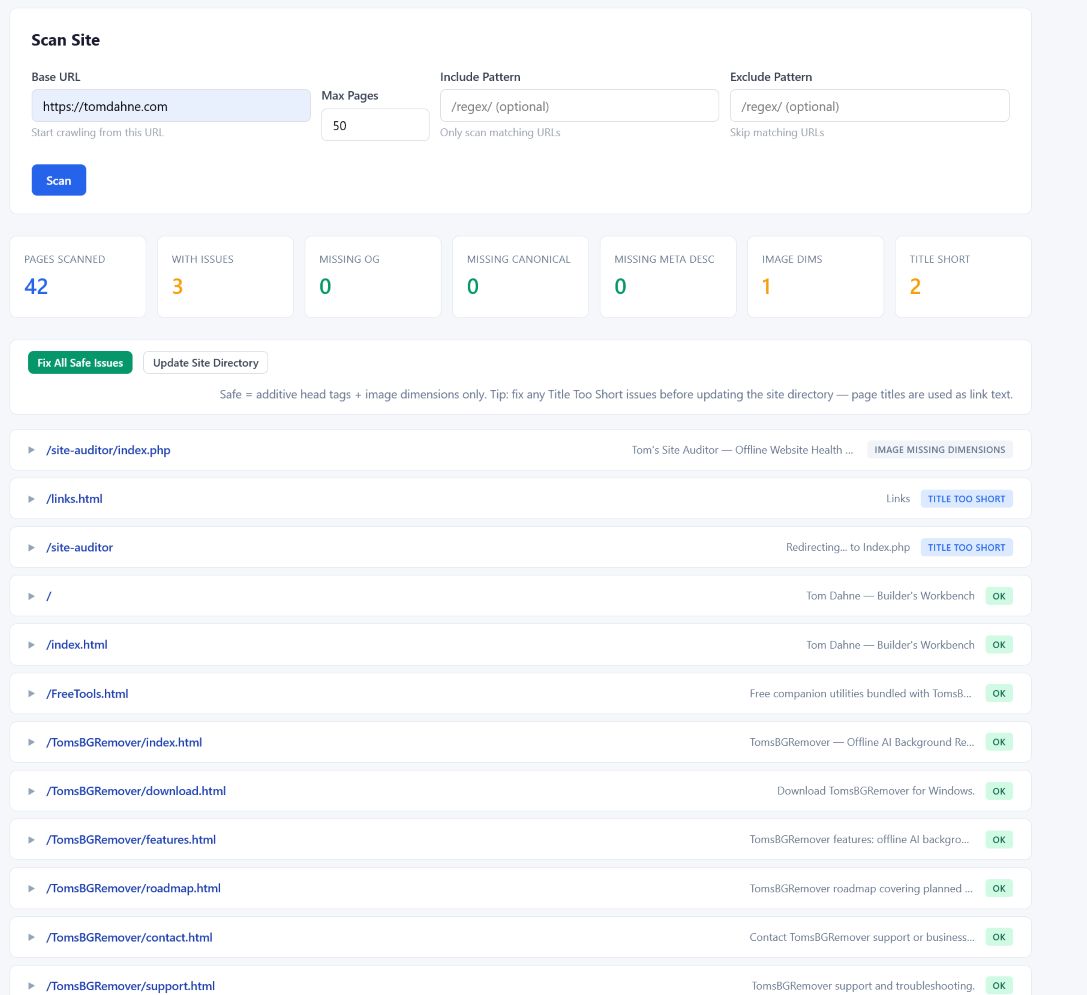
Site Fixer is a drop-in SEO repair console. Upload one file to your web hosting, open it in your browser, and it crawls your site — just like the desktop app. But instead of just reporting problems, it lets you fix them with a single click, right from the browser. Every change creates a timestamped backup. Nothing is modified until you explicitly click Apply.
Upload
Drop site-fixer.php into your website folder. One file, no dependencies.
Scan
Enter your URL and click Scan. It crawls up to 200 pages and lists every issue.
Fix
Preview each change, then apply individually or fix all safe issues at once.
Issues it detects and fixes:
Auto-fixable issues (canonical tags, OpenGraph tags, image dimensions) are safe, additive changes — they only add new HTML tags without touching your existing content. Apply them all at once across every page with one click.
Semi-manual fixes (meta descriptions, short titles) require your input. Site Fixer suggests text extracted from your page content, shows a live character counter, and lets you preview the exact HTML change before applying. You stay in control.
Site Directory for Orphan Pages: If the scan finds pages that no other page links to, you can generate a site directory — a clean HTML page that links to every crawled page on your site, organised by folder. Every page gets at least one internal link, which helps search engines discover your full site. You can also use marker injection to integrate the link list into your own custom page design.
Site Fixer works with static HTML sites — the kind most small businesses, portfolios, and personal projects run on. It requires PHP 7.4 or higher, which virtually every web host provides. When you're done fixing, delete the file from your server. It's designed to be uploaded, used, and removed.
Security built in: Access requires a strong admin token you set yourself. Session-based authentication ensures the token never stays in your URL or browser history. The crawler only scans your own domain and refuses to follow redirects to other hosts. All file writes are atomic (write to temp file, then rename) so a crash can never leave a half-written file. Every change creates a timestamped backup you can restore by renaming.
SEO Dashboard
A web-based analysis tool for tracking issues over time.
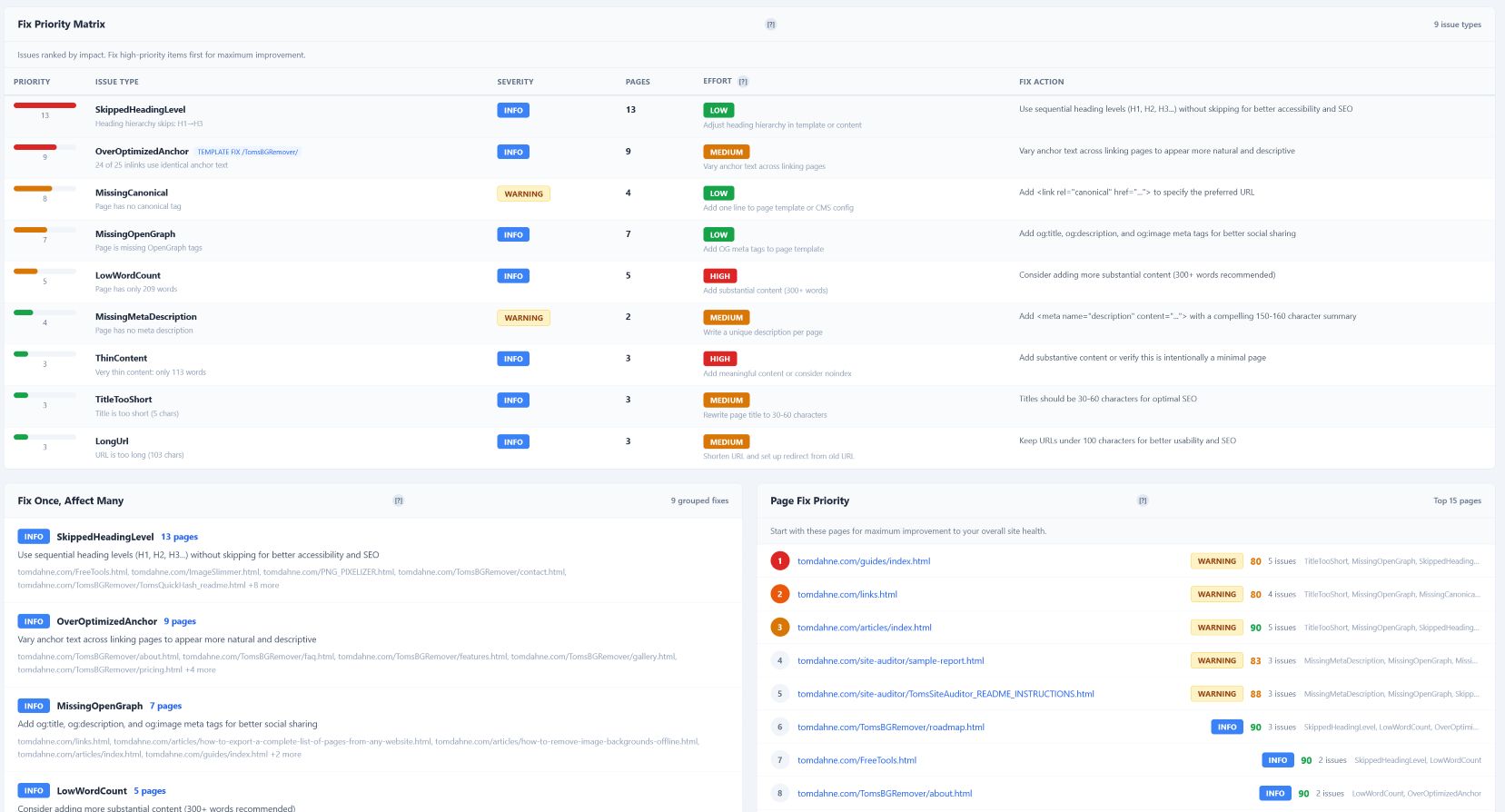
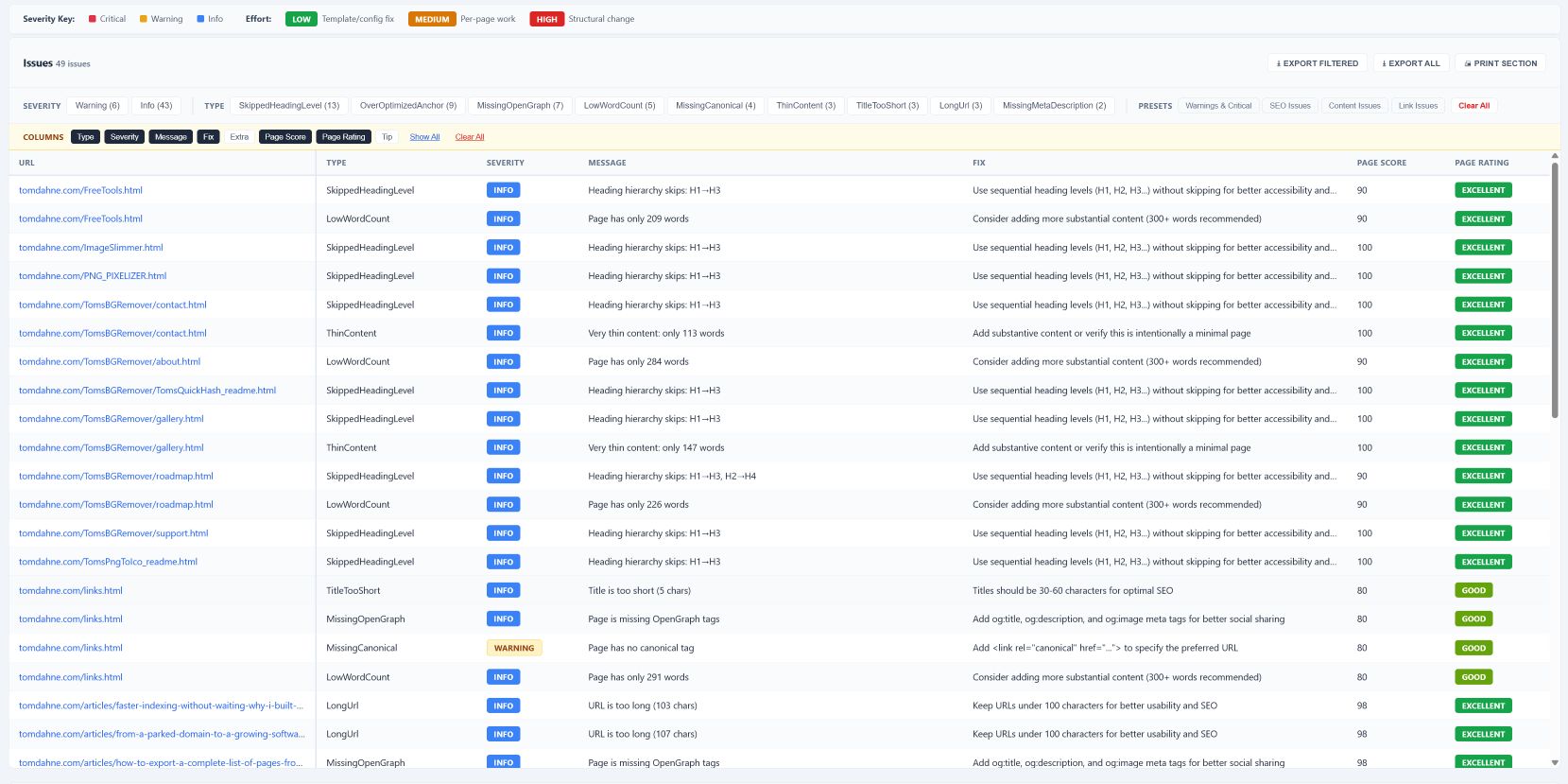
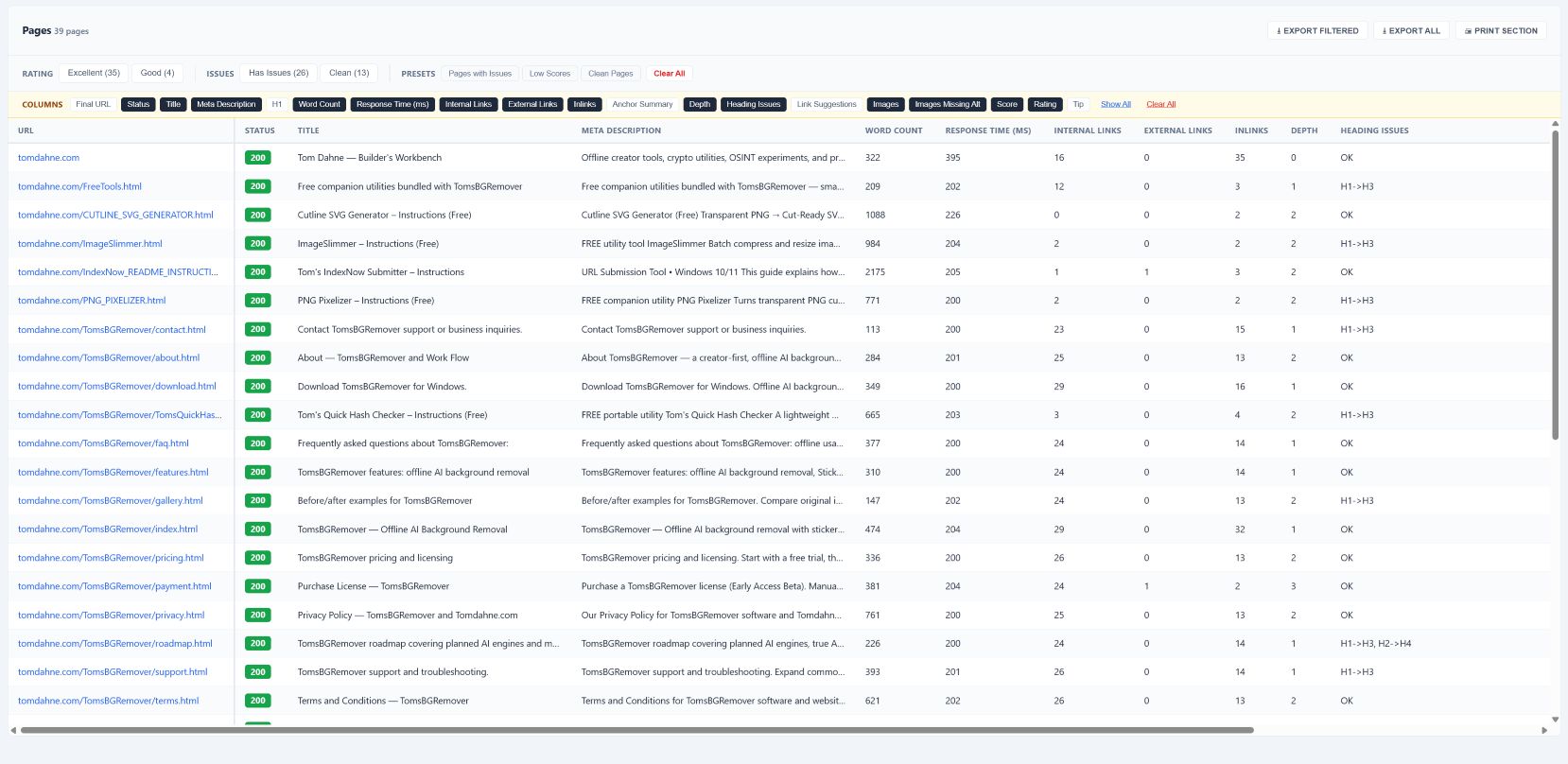
The Site Auditor Dashboard takes the CSV files exported by the desktop app and turns them into an interactive, filterable dashboard you can access from any browser. Upload scan data from different dates, compare them side by side, and see exactly what improved, what regressed, and what still needs attention.
Runs on any standard PHP web hosting (7.4+, Apache). Zero database — everything is flat files. Upload CSVs through the built-in upload panel or copy them via FTP. Password-protected with optional IP whitelisting for extra security.
📄 Read the full Dashboard User Guide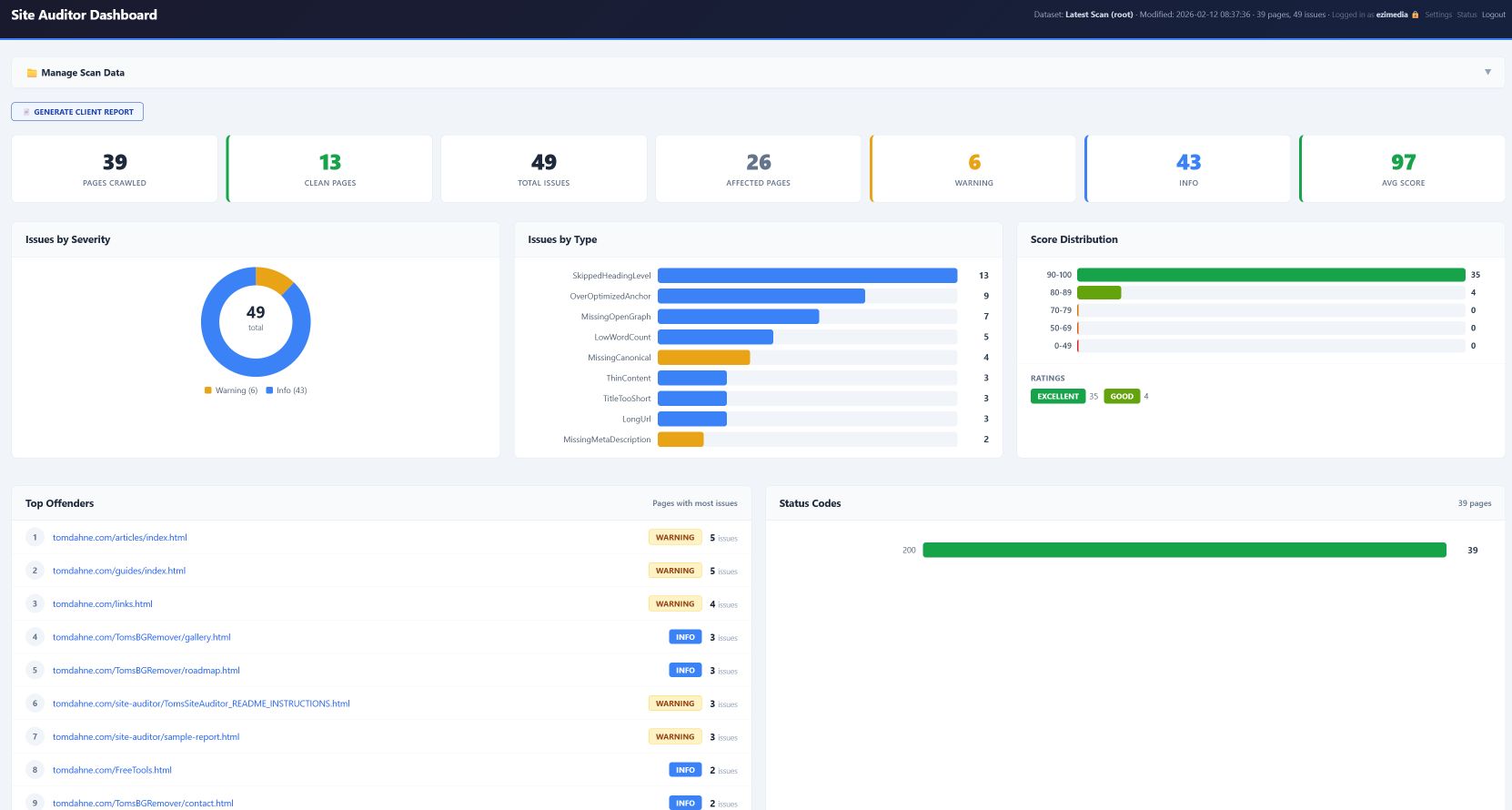
Practical SEO Guide
19 pages of clear, no-jargon SEO advice for small-site owners.
Every issue Site Auditor finds has a reason behind it. The Practical SEO Guide explains those reasons in plain English — what each issue means, why it matters, and how to fix it properly. It covers technical foundations (titles, meta descriptions, canonical tags, OpenGraph, images, internal linking), content quality, site structure, and a repeatable monthly SEO workflow.
No jargon. No tricks. No promises about rankings. Just the fundamentals that actually work, explained for people who build and maintain their own websites. Includes a practical checklist you can work through top to bottom.
Written for the same audience as the tools: small business owners, freelancers, and anyone who manages their own website and wants to understand what they're fixing and why. Delivered as a clean PDF you can read on any device.
What You Get
One payment. Lifetime licence. Everything you need to go from "issues found" to "issues fixed."
After purchase, you'll receive a download link with all files and your licence key via email.