- Key Takeaway
- Most Google indexing failures are caused by structural issues — missing titles, duplicate content, orphan pages, and broken internal links — not penalties. Run a site audit to identify these problems, fix them systematically, update your sitemap, and request re-indexing through Google Search Console. Regular auditing turns indexing from a manual battle into an automatic process.
Why Your Website Isn’t Indexed in Google (And How to Fix It Without Guesswork)
One of the most frustrating things in SEO is publishing pages and seeing “Discovered – currently not indexed” in Google Search Console.
You know the page exists. Google knows it exists. But it still doesn’t show in search results.
Important truth: Most indexing problems aren’t penalties. They’re structural issues Google hasn’t fully trusted or understood yet.
Why Google doesn’t index some pages
Google decides what to index based on signals, not requests.
Common reasons pages don’t get indexed:
- Missing or weak page titles
- No internal links pointing to the page
- Duplicate or thin content
- No meta description
- Page marked as noindex
- Orphan pages (Google can’t easily discover them)
These problems often exist silently.
Your site can look fine to you, but broken to Google.
The hidden problem: you can’t fix what you can’t see
Most website owners don’t realize indexing problems exist until weeks or months later.
By that time, traffic opportunities are already lost.
This is why auditing your site regularly matters.
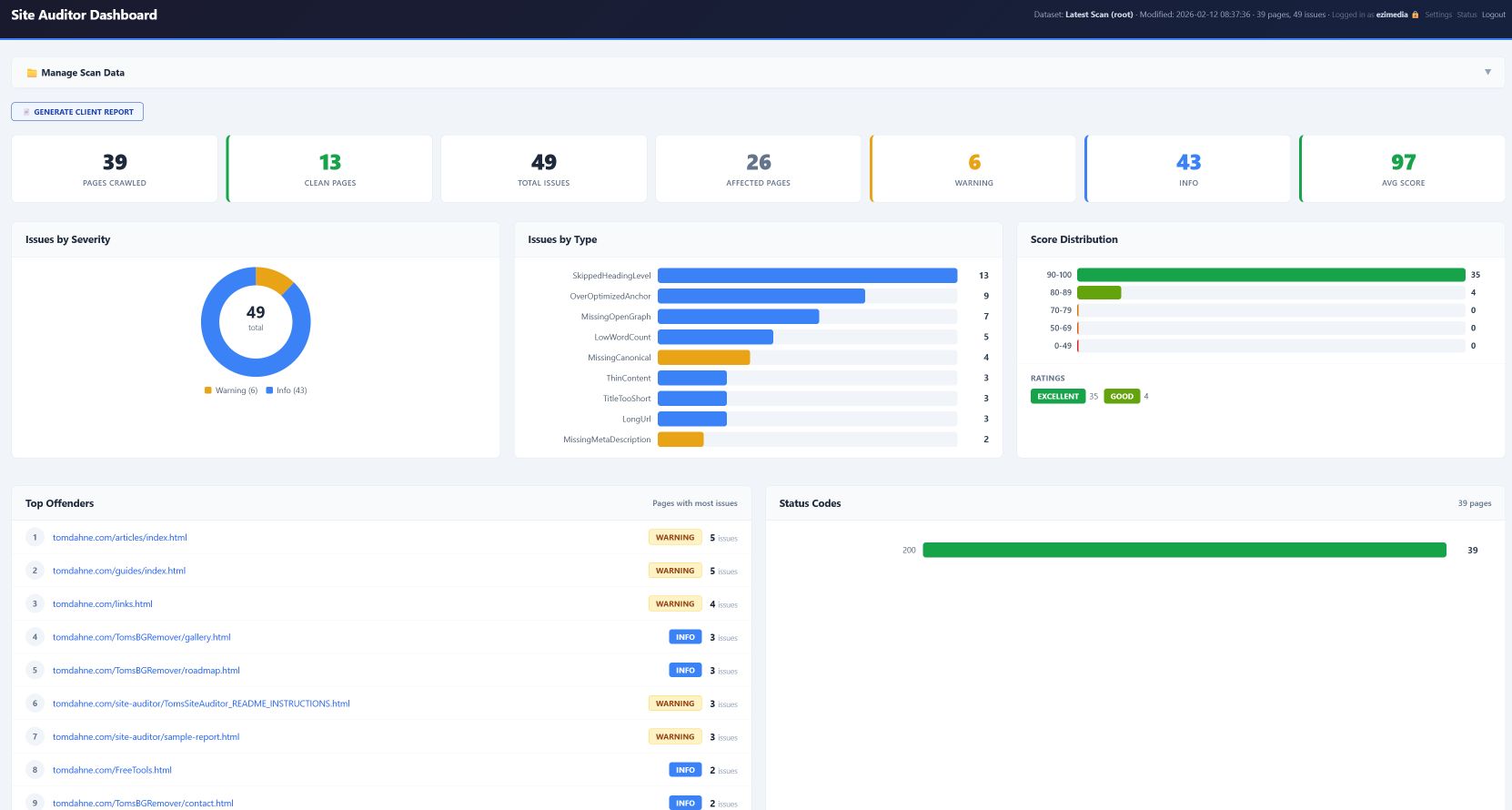
What a website audit actually does
A website audit scans your pages and identifies technical and structural problems.
It answers questions like:
- Are pages missing titles?
- Are descriptions duplicated?
- Are some pages invisible to crawlers?
- Are important pages orphaned?
- Are links broken?
Fixing these improves crawl efficiency and indexing speed.
Why manual checking doesn’t work long-term
You could open every page and inspect it manually.
But this becomes impossible as your site grows.
Even a 50-page site can hide problems.
A 200-page site almost certainly does.
Tip: Many indexing problems come from simple mistakes like missing titles or orphan pages — not complex penalties.
What happens when you fix audit issues
When structural problems are fixed, Google can:
- Crawl your site more efficiently
- Discover pages faster
- Trust your content more
- Index pages automatically
This leads to better visibility over time.
Why offline auditing tools are useful
Some auditing tools run in the cloud.
Others run locally on your computer.
Offline tools have advantages:
- No monthly subscriptions
- No uploading your site data
- Full control over scans
- Consistent results
Recommended workflow for fixing indexing problems
- Run a site audit
- Fix missing titles and descriptions
- Add internal links to important pages
- Update sitemap.xml
- Request indexing in Google Search Console
- Rescan your site
This creates a repeatable process.
Website auditing isn’t about perfection
It’s about visibility.
Every structural improvement increases Google’s ability to trust your site.
Over time, indexing becomes automatic instead of manual.
If you want to audit your site locally, my offline Windows tool Tom’s Site Auditor scans your pages and generates clear reports without subscriptions or cloud services.
P.s
Don't forget to submit your website to IndexNow friendly search engines, It's easy and free with my IndexNow Submitter Tool